I’ve been using a quick, visual process to design projects. I call it action mapping because it helps you change what people do, not just what they know. It helps you design action-packed materials that are 100% dedicated to improving business performance, and it can keep stakeholders from adding extraneous information.
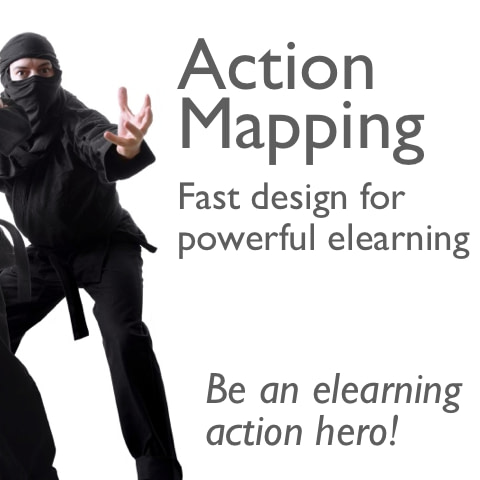
Here’s a slideshow with an overview. It uses lighthearted stock photos from 2008 of a guy dressed in a ninja outfit. No political statement is intended.
How does it work in the real world?
For me, the map fills three roles:
Design document
Outline (obviously non-linear; if someone wants a linear approach, I write a short, high-level text outline or move the nodes so they form a list on one side of the goal)
Content repository
The map is a content repository because I use Compendium, which lets you include PowerPoint slides, Word documents, and other files in the map. This means each information node actually contains the relevant source materials.
If you use a rapid tool, you could probably just dive into the tool after creating the map, using the map as an outline and tightening the source materials as you go.
Why use the map?
A tool like the action map makes everyone focus on the business reason for the project and keeps extraneous information out–it provides discipline.
Time pressure allows people to justify behaviors they would not accept from others….Communication becomes a matter of disseminating information and taking any available e-shortcuts. When it comes to communication, business is facing major discipline and accountability problems.
Jensen says that communication becomes ineffective when we don’t identify the deep problem that the communication is supposed to solve. Instead, we say, “Let’s communicate more,” which, according to Jensen, “just creates noise and distracts from the original problem.”
Scenario design toolkit now available
Design challenging scenarios your learners love
Get the insight you need from the subject matter expert
Create mini-scenarios and branching scenarios for any format (live or elearning)
It's not just another course!
Self-paced toolkit, no scheduling hassles
Interactive decision tools you'll use on your job
Far more in depth than a live course -- let's really geek out on scenarios!
Use it to make decisions for any project, with lifetime access
I realize most people will assume that I’m talking about designing an online course. However, the process applies to any instructional design, and I’d really prefer for people to consider other ways to “deliver” learning. My favorite async way is to combine HTML pages with Flash, using the Flash only when it’s really necessary and making the whole thing searchable and available on demand, rather than locking it away in an LMS. One of the cool (to me) aspects of action mapping is that it encourages us to consider non-linear ways of covering all our bases–it helps us break out of the linear course.
Also, the practice activities could take place offline, in a workshop, in an online collaborative space, or in whatever other format you need. The mapping process is just a design process and not a prescription for what you should include in an online course.
Wonderful. In special education this is EXACTLY how we custom design learning interventions and programs for students. We even use graphic note taking to increase focus on visible actions that need to happen as a result of services. I have noticed a very strong connection between innovative tools like yours and the practices that have evolved in special education. The nature and severity of the needs in that field have created an ecosystem where nothing that isn’t learner driven and objectively observable can survive. Perhaps with tools like yours we can get the same level of commitment to results in other types of learning experiences.
Sounds good!
I already use mindmaps to structure my current courses (I am just a rookie at being a course developer – six months on the way now) which is already really useful, especially for making crossovers and connections between all the material – but using actions as the nodes and not ‘chapters’ is even better!
Also from the client’s point of view, much more tangible I would say. I will definitely be using this framework. Already I see something dawning for one of the process trainings I’m working on – cut the excess, bring it back to the actions.
Thanks Cathy!
Cathy… this is great! It seems like a great way to encourage SMEs to move away from the “yes! this information is extremely important to the learner” method of content selection. I’m going to try this on my next project and encourage the rest of the design team to try this model as well.
Oh Cathy, you’re singing my song. Only problem is, many of our clients (and I currently have one who is a prime example) have the courage to move away from the security blanket of information dump. Just yesterday, I went in with a “what do they need to do” proposal, only to have it rejected in favour of “this is what they need to know (which is a LOT!)”
You know, you’re stepping on dangerous ground when you advocate getting rid of the trivia games. I hope your ninja action heroes are prepared for those sent by the organization Fascists Aligned in Learning.
Cathy, Great post as always! Timely information as I have just started using a mindmap software for planning. Keep it coming!
YES!!! I’ve been a proponent of ‘start with what they DO’ for years and I truly believe that it makes a design so much cleaner, easier, effective, engaging, and targeted than information dump (structured copy / paste).
The best courses I’ve seen have focused at least 90% of their effort on supporting what the learner must do. The worst courses I’ve seen seem to have focused 90% of their effort on what the learner must know.
To expand on this action map concept – I’ve recently blended a similar map with ‘what they need to know’ type activities in a way that I think respects the learner’s intelligence and preferences.
I corralled the performance areas to create hubs for activity. These hubs connect activities that could stand on their own (active tutorials, etc..) supported by the appropriate references and reading assignments. The core hub exposes all of the activities and references in an index, enabling the learner to access any component at any time.
Around the outside of the map is the guide sequence. The guide sequence provides the activity sequencing, lining up the activities with supporting ‘knowledge gathering’ activities, real-world activities, and checkpoints. The knowledge gathering activities may be reading assignments. We tend to make learners read a lot anyway in many of our courses, if gobs of information transfer is the goal a screen > screen > screen dump is a really unnatural way to do this (even if it’s not in screen text, but in narration). We build reading assignments as short articles that read and have a similar layout to a magazine article.
I’m attempting to provide opportunity for the learner to pick what they want / need, while still providing the right level of guidance through the instructional components (the glue).
MindManager, FreeMind, and CMAP are all good tools to support quick mapping of concepts and focus assemblies.
Awesome post, Steve! I especially like your point of having knowledge gathering assignments that they can choose to access to help them complete an action or activity.
I dunno… no icebreakers? No terminology word-searches? No set of nine dots that I have to connect without lifting my pen? No Jeopardy-style review questions? No learning styles? No MBTI types? How can this be learning?
I did NOT think you were talking about online courses per se, but I think you’re right to stress that it ain’t necessarily a linear course, regardless of delivery vehicle.
When given poorly-formed problems (“our supervisors need better communication skills”), Joe Harless used to ask (as diplomatically as possible) “communication skills for what?” (though his Georgia accent made that “fur whut?”) That was his equivalent of the first two cycles of your map — focusing on what people needed to do, and figuring out how to help them become able to do it.
Thanks, everyone, for your comments.
Jago, I agree that mind-mapping can help you make new connections in material. I enjoy chopping up the existing material and moving it to the map to show that the content doesn’t have to be presented the way they’ve “always” done it.
Kerry, I hope action mapping helps your SMEs see the light. It requires a big change in mindset, especially since most of us were taught in school that learning is simply information transfer.
Tom, the ninjas are preparing for battle as I type this.
Karyn, I agree that a lot of clients feel most secure when their material is an information dump. It’s what we’re all used to, and when you have accumulated a huge pile of information, you can point to it and say, “Look, we covered everything!” If you manage to convince your client to change their approach, please let us know how you did it!
David, I’m glad the post was timely. I’m hoping to do a future post showing how I use Compendium, which is a great tool in many ways.
Steve, thanks for your ideas. I love the idea of performance hubs with stand-alone activities supported by references. It sounds like the project can work as both a structured course and a just-in-time reference, which I think should be our goal more often. I also like the idea of breaking out reading assignments into magazine-like layouts rather than spoon-feeding paragraphs to learners one small screen at a time.
One challenge I’ve had is that mind-mapping software tends to assume that I want to map hierarchical information, with each node spawning smaller child nodes. In action mapping, sometimes I want two nodes to share the same child (for example, two real-world actions could be covered by one practice activity).
So far, only Compendium has done that for me, but I haven’t had time to check out FreeMind. Does FreeMind let children have multiple parents?
Dave, I like the “for what?” response. It could be good to brainstorm other ways to get people to think about the business goal. Other questions could include, “What would happen if we didn’t build this course?” or “How do you know that your staff members need to learn X?”
If you’re in a more confrontational mood:
“Tell me things you’ve learned by sitting and listening to someone talk.”
“How much of [the intended person’s] job consists of answering multiple-choice questions?”
If you’re feeling kindlier:
“If I as an outsider were watching someone who was really good at [ill-formed objective], what would I be seeing or hearing?”
Then, once you have a reasonable set of actual performances:
“So, if a person avoids using a lot of IT jargon, and can describe what the customer wants to see, and can draw a process flow that the customer agrees with, you’d agree he knows the customer requirements?”
Cathy. Sadly I did NOT succeed. I am designing the information dump as we speak. :o(
Dave, lol – I love those questions.
Cathy, Compendium looks really interesting. I’ve used a similar tool from UCF called cMap. The licensing issues for use are sticky, as it’s pretty much been a personal / education tool for around 4 years (despite efforts to partner for commercial licensing and distribution). I enjoy using cMap for building up causal concept maps, performance paradigms, etc.. http://cmap.ihmc.us/
I’ve used MindManager to build up quasi-multiple parents using relationships. This actually works pretty well in most cases. Here’s a quick example: http://www.xpconcept.com/mindManagerMap.jpg
Cathy…I saw your concept diagram via Cammy Bean’s presentation at DevLearn this year. Any chance you could update the link to get to a PDF of your diagram?
Thanks so much!
Steve, thanks for those diagrams. I can see how relationships in MindManager could match up multiple parents with single children, as well as make other links. And the concept diagram is decidedly cool. I especially like the guidance ring around the map, the way you show build-up activities, and the fact that learners do activities in the real world. It looks like everything the learner needs is concentrated right there in the map, rather than spread out through multiple screens and nested menus. And a circular path that I can see in its entirety seems more inviting than a list of steps that scrolls off the bottom of the screen.
Wow! These ideas are not just for business and elearning. I cannot wait to reiterate these thoughts with my colleagues. I teach high school and am currently training teachers in technology integration and teaching the 21st century learner. These concepts, particularly the “dump the drone” idea, are so applicable to schools and teaching. I love the mapping idea. Although we are familiar with graphic organizing in the k-12 learning environment, I think we as teachers see that as a “student” skill and not a planning skill for great design in lesson planning. I want to use this approach with my English department to see if we cannot come up with a more focused goal and set of activities that involve less talk and more focus. Thanks!
Great Method.
Our instructional designers’ major roadblock to make learner centric designs is the content focus of the subject matter experts. These 31 pages demonstrate in less than 10 minutes why and how learning can be structured differently.
Mike and Brandi, thanks for your comments. I agree that one of the biggest problems in any instructional field is to get the subject matter experts to view content delivery as a means to an end as opposed to the end in itself. We’re not just delivering content, we’re using content to build expertise. I’m trying to find more ways to communicate this to SMEs, so if you have any approaches that have worked, please share them here!
Cathy,
Company won’t allow me to download Compendium? Any comparable products out there that would be recommended?
Hey Mark,
Is it just compendium or is there a lockdown? If you have a machine lockdown, you might have some success with Web based mapping tools. Try one or more of these, something might strike your fancy:) In some cases, I prefer the Web based tools – they allow me access to my stuff pretty much anywhere I am. Great for school, etc..
There are more than the reviewed tools on this site, but this will provide a comparison. I’ve tried out all of these except Thinkature. Both are OK tools. I fell back to MindManager because it’s more responsive and more closely meets my needs.
Steve, thanks for those great links. I’m an increasingly enthusiastic fan of platform-agnostic online tools.
Mark, I’ve also started using MindManager. It works for the action mapping approach, though it’s not as free-form as Compendium.
Thank you both. Someone suggested Visio, but I don’t believe the same capabilities exist – probably closer to MindManager. I will look into each of your suggestions. Great post – love learnin’!
Yes! Action mapping is the most wonderful thing. I have worked quite some time with it but under different names; effect mapping and impact mapping. Keep up the good work, Cathy!
And I agree, common roadblocks for effective training design is the topic-centered SMEs and the media-centered Marketing departments. Action mapping helps to win their hearts and minds.
//Anders, Sweden
Hi Cathy,
I found this blog by chance after doing some heavy-duty researching near the end of 2008. I find this post very enlightening as well as guilt-inducing, because, in a matter of speaking, I’ve been “doing it wrong”. Basically, I’ve been creating courses that are information-heavy because that’s what the SMEs/clients want. Your widget scenario actually hit rather close to home with a couple of projects I finished working on months ago. (Eep!)
If there is a gentle way of convincing the SMEs/Clients that this would be the better alternative, I’d be glad to find out what it is.
Sincerely,
Relatively New ID zelanne
Zelanne, thanks for your comment. I’m not sure there’s one effective way of convincing SMEs and clients to move away from the information-heavy approach. Unfortunately, it’s common to believe that exposing people to information is “teaching” them, and the more information, the better.
I wonder if the economic downturn will help convince people that we should do a better job of justifying the expense of elearning and other training. If we can show how our materials directly tie into and support the organization’s objectives, we’ll be more likely to keep our heads above water.
Excellent slide show, and good plan. I already did some of this, but I never outlined what I did. Now, I don’t have to, because you’ve done it for me.
Hi
we do something very similar and also find it is very effective. We have adapted Compendium to produce a version that is specifically for design purposes and which includes in situ help
see compendiumld.open.ac.uk for more info and how to download
I recently designed a corporate e-learning that was meant to inform employees about a cultural change within the organization. We’re implementing LEAN methodology and the audience spanned several business units, each with it’s own goals and processes. The business goals for the project were not specific or measureable and the training became a lot of information dump with multiple choice questions after each module. I saw this concept of Action Mapping after we had built the training and wish I could go back in time because when I see our final product, it could have been so much better.
So I’m looking at how I could have rewritten one of the courses- just to see what it may have looked like if I had used Action Mapping. Do you have any advice on how to write specific and measureable business goals when you’re trying to inform people of a cultural shift and transition into using LEAN methodology?
John, thanks for your question. Since lean methodology uses a lot of measuring, my first suggestion would be to ask the organization what changes they plan to measure (for example, what waste do they want to reduce, and by how much?). That would then help you identify lots of behaviors that need to change and continue the mapping from there.
However, one of your big challenges is that the audience was so broad–if the material is supposed to apply equally well to units with different processes and internal goals, then it’s hard to set one measurable goal for the project. In a perfect world, you could divide the materials into one modules for each group, show them how lean methodology would improve their results, and create practice activities for the behaviors that need to change.
If the main goal behind the material was just to get employees to accept the change–basically to sell them on lean methodology–then you could measure how quickly the methodology is adopted, like “90% of business units will implement step 1 of our plan by Dec. 1.” However, it’s harder to come up with clear behaviors and activities for that sort of goal, however, because you’re looking for actions like “Willingly consider changing your workflow to incorporate lean method X,” which is hard to practice and to measure.
It looks like Slideshare is having some trouble, but the presentation should load eventually.
The slideshare presentation is missing – is this temporary (hopefully)?
Hi Cathy,
Thanks for your web site and your ideas, I found it so interesting and useful. I love your approach of instructional design. It looks simple and I found it very helpful for businesses.
I am an instructional designer and I always thought that I was missing the goal by simply transposing content into e-learning. I always have spend a lot of time doing knowledge analyze, trying to identify Principles, Facts, Procedures and Concepts, and putting them in relation to each other. I think with your approach, this analyze will be least time consuming. Actually, I am wondering how import do you think it is to do knowledge mapping based on Principles, Facts, Procedures and Concepts.
Thanks for the additional comments. Regarding content analysis that breaks things down into principles, facts, procedures, and concepts: I think these distinctions can be useful at two points:
– When you’re trying to figure out why people aren’t doing what you need them to do (why the need for training exists). For example, do they understand the principles but don’t know the procedure?
– When you’re brainstorming activities–for example, you can make sure your activities have learners practice applying concepts as well as facts.
However, I think the principle/fact/procedure/concept analysis is only a small part of the larger analysis. It’s most useful when it helps you figure out how to help learners practice real-world behavior. It probably has its roots in the education world, which is more focused on getting information into people’s brains and not necessarily on changing specific behaviors.
I’m an ex-technical writer moving into instructional design via an online certification program, and in our textbook we’ve just had to read about topic analysis that breaks things down into principles, facts, procedures, and concepts. So glad I stumbled across this post on action mapping and your concrete comments on the when topic analysis is actually useful. Makes a lot of sense to me and will probably save me quite a bit of time in designing the projects I’m currently working on. Thanks Cathy!
Cathy – I have been using this approach sporadically as we actually have a pre-fabricated e-learning production template/player that addresses the instructional design requirements for most of our courses (It does line up nicely with the action map approach however).
As more SME than instructional designer, I find the action map to be well-classified and places boundaries that content people such as myself need to have (or risk the dreaded 24 hour course). An area of definition that I tend to get hung up on is related to the specificity of the action that helps achieve the business goal.
As an example, a curriculum we are putting together for healthcare finance has identified a business goal as Achieving Budget Neutrality. One action we have is to “Identify variances on monthly expense reports” but another action is “Minimize the use of premium labor”. The first is very specific and the second is much more generic; almost holistic and likely has numerous other actions/activities underneath it.
Any particular guidance around deining actions?
Jason, thanks for your question. It helps to make sure that the actions are observable behaviors and not results or goals. “Identify variances on expense reports” is an action because it’s observable–there’s Bob, going through the expense reports, flagging variances.
But “minimize the use of premium labor” sounds more like a goal than a discrete, observable action. So for that category, it could help to identify the observable actions that bring about the result of less premium labor.
For example, an action might be something like, “Before choosing a premium provider, determine whether sources A, B, and C could provide the service.” That’s observable–there’s Martha, calling provider A to see if they can do what she needs so she doesn’t have to go with the premium guys. The *result* of her action could be that premium labor is used less, but the action is a discrete, observable behavior.
I hope that helps.
Pure Genius.
My mind is reeling at your work Cathy, and I am itching to find a tool that makes the process of building stories easy and fault-free. This will change the way that time management is taught (or not taught.)
This is my second visit to your site and it’s as if a light just went on.
Thank you so much
Thank you so much for the Action Mapping information. I definitely plan to introduce this concept Monday when I am back in the office. It seems so simple, but I think we often make things more difficult than they should be because of the way we were taught to learn (rather than the way that we actually do learn).
Francis and Sarah, thanks for your comments. I’m glad the model will make your work easier.
Cathy, thank you so much for this post (and your blog). I’m just taking my first steps into the e-learning arena (mostly reading, reading, reading), and trying to connect all the dots from various information sources on the subject I’ve been fortunate to find. I’m beginning to think about content for a Web project, and wasn’t really sure where to begin or how to structure it, or even what to focus on or what to include (or not include). Your action mapping is on target with what I want to accomplish (for me and my user). I’ve used MindManager in the past, and have been actively using iThoughtsHD on my iPad to map out a detailed plan for my project. I LOVE mapping! Now, with your help, I’ve got a simple, ACTIONABLE framework to help guide strategy and assemble the pieces. I can’t thank you enough!
Gracie, thanks for your feedback. I’m happy to hear that the system will work for you!
Hi Cathy,
Thanks for this very useful article. It helped me a lot to become clearer about what to do.
As I am in the cross cultural training business, I’ve to mention, that I have the feeling that quite often there is no measurable goal connected with a cross cultural training. Astonishingly those kind of training are conducted. 😉
What do you think? Am I just not able to see the measurable goals?
I am looking forward to your thoughts.
Best
Steffen
Hi Steffen, thanks for your question. I agree that “soft skills” areas like cross-cultural communication can be hard to quantify.
One place to start could be to identify the visible behaviors that show that someone is cross-culturally competent. What does that person do? How can you tell by watching and listening that they’ve had your training? How does their behavior affect the decisions of the people they interact with?
From there, you could try to identify how their employer benefits. Does the culturally-competent person close more sales? Build long-lasting relationships, which increases customer retention? Communicate more effectively, which makes communications more efficient and less expensive? Avoid insulting people, thus reducing the expense of lawsuits?
If you do custom training, you could ask the client to identify more concretely how they expect to benefit from the training. Ideally, they’ll be able to identify a measurement that they use now (such as income per customer) and they’ll believe that cross-cultural training will improve that measurement.
For generic training, you might want to pick one common goal, such as increasing sales across cultures, and use that as your starting point.
I hope this helps. Does anyone else have any ideas? If so, please add your comments.
Hi Cathy,
Thank you very much for your ideas. Very helpful hints. I have the feeling that some of the questions are hard to answer – even for our customers. And a whole bunch of scientific work has to be done – as there are still quite some questions which are unanswered.
So, your answer opened quite a lot of potentials to enhance quality of cross cultural training. Thanks a lot.
Regards,
Steffen
This is really helpful. I’ve been doing instructional design work as an independent contractor through an IT consulting company. Lately, it seems like the clients just want to transfer Articulate content into uPerform just because they have licenses for both. The objectives are often, “to describe” or “to understand.” Puke!
I have few opportunities to shape any decisions because they want the content from one software application to match the other. I hope to infiltrate and apply mapping techniques someday! Thanks for providing great resources, Cathy.
Cathy,
I wanted to drop you an e-mail – but your e-mail address does not appear on your site.
I read this posting – and the slidedeck on slideshare with great interest. I have been working on various research projects over the last few years on visual mapping. One of the ‘products’ of this seems to be very close to what you are talking about here.
I have a working version of a web-based tool to support maps that are very similar to the ones you describe. I am also interested in instructional design through my teaching at Oxford University in the UK and because it was the subject of my PhD.
Maybe you would consider collaborating in some way? I paper, presentation or other publication?
Thanks for your comment. My email address is on my contact page, in green. It’s in an image to avoid spambots, so if you have images turned off or they’re not displaying for some reason, you won’t see it.
Your project looks interesting, and I wish you the best with it. Unfortunately, I’m currently not available for collaborating because all my time is already committed to other projects. If you haven’t seen it already, you might be interested in what the folks at Goalscape are doing.
Best wishes,
Cathy
Great slide deck Cathy, thank you. I use iPads so flash is not an option, however, there are lots of other ways to do what you are advocating. 🙂
Is there any way to get hold of your slide deck please to show my team at work? We are just very new to e-learning and this would be a wonderful explanation/training for them.
Jenni, thanks for your comment. You can download a PDF of the slides from the link in the blog post, just above the slideshow. I don’t make the slide deck available because I don’t use PowerPoint.
Thanks Cathy for given the great article.This is more help for me to achieve my target to create new elearning project.






To clarify a couple of things:
I realize most people will assume that I’m talking about designing an online course. However, the process applies to any instructional design, and I’d really prefer for people to consider other ways to “deliver” learning. My favorite async way is to combine HTML pages with Flash, using the Flash only when it’s really necessary and making the whole thing searchable and available on demand, rather than locking it away in an LMS. One of the cool (to me) aspects of action mapping is that it encourages us to consider non-linear ways of covering all our bases–it helps us break out of the linear course.
Also, the practice activities could take place offline, in a workshop, in an online collaborative space, or in whatever other format you need. The mapping process is just a design process and not a prescription for what you should include in an online course.
Wonderful. In special education this is EXACTLY how we custom design learning interventions and programs for students. We even use graphic note taking to increase focus on visible actions that need to happen as a result of services. I have noticed a very strong connection between innovative tools like yours and the practices that have evolved in special education. The nature and severity of the needs in that field have created an ecosystem where nothing that isn’t learner driven and objectively observable can survive. Perhaps with tools like yours we can get the same level of commitment to results in other types of learning experiences.
Sounds good!
I already use mindmaps to structure my current courses (I am just a rookie at being a course developer – six months on the way now) which is already really useful, especially for making crossovers and connections between all the material – but using actions as the nodes and not ‘chapters’ is even better!
Also from the client’s point of view, much more tangible I would say. I will definitely be using this framework. Already I see something dawning for one of the process trainings I’m working on – cut the excess, bring it back to the actions.
Thanks Cathy!
Cathy… this is great! It seems like a great way to encourage SMEs to move away from the “yes! this information is extremely important to the learner” method of content selection. I’m going to try this on my next project and encourage the rest of the design team to try this model as well.
Oh Cathy, you’re singing my song. Only problem is, many of our clients (and I currently have one who is a prime example) have the courage to move away from the security blanket of information dump. Just yesterday, I went in with a “what do they need to do” proposal, only to have it rejected in favour of “this is what they need to know (which is a LOT!)”
You know, you’re stepping on dangerous ground when you advocate getting rid of the trivia games. I hope your ninja action heroes are prepared for those sent by the organization Fascists Aligned in Learning.
Cathy, Great post as always! Timely information as I have just started using a mindmap software for planning. Keep it coming!
YES!!! I’ve been a proponent of ‘start with what they DO’ for years and I truly believe that it makes a design so much cleaner, easier, effective, engaging, and targeted than information dump (structured copy / paste).
The best courses I’ve seen have focused at least 90% of their effort on supporting what the learner must do. The worst courses I’ve seen seem to have focused 90% of their effort on what the learner must know.
To expand on this action map concept – I’ve recently blended a similar map with ‘what they need to know’ type activities in a way that I think respects the learner’s intelligence and preferences.
I corralled the performance areas to create hubs for activity. These hubs connect activities that could stand on their own (active tutorials, etc..) supported by the appropriate references and reading assignments. The core hub exposes all of the activities and references in an index, enabling the learner to access any component at any time.
Around the outside of the map is the guide sequence. The guide sequence provides the activity sequencing, lining up the activities with supporting ‘knowledge gathering’ activities, real-world activities, and checkpoints. The knowledge gathering activities may be reading assignments. We tend to make learners read a lot anyway in many of our courses, if gobs of information transfer is the goal a screen > screen > screen dump is a really unnatural way to do this (even if it’s not in screen text, but in narration). We build reading assignments as short articles that read and have a similar layout to a magazine article.
I’m attempting to provide opportunity for the learner to pick what they want / need, while still providing the right level of guidance through the instructional components (the glue).
MindManager, FreeMind, and CMAP are all good tools to support quick mapping of concepts and focus assemblies.
Awesome post, Steve! I especially like your point of having knowledge gathering assignments that they can choose to access to help them complete an action or activity.
I dunno… no icebreakers? No terminology word-searches? No set of nine dots that I have to connect without lifting my pen? No Jeopardy-style review questions? No learning styles? No MBTI types? How can this be learning?
I did NOT think you were talking about online courses per se, but I think you’re right to stress that it ain’t necessarily a linear course, regardless of delivery vehicle.
When given poorly-formed problems (“our supervisors need better communication skills”), Joe Harless used to ask (as diplomatically as possible) “communication skills for what?” (though his Georgia accent made that “fur whut?”) That was his equivalent of the first two cycles of your map — focusing on what people needed to do, and figuring out how to help them become able to do it.
Thanks, everyone, for your comments.
Jago, I agree that mind-mapping can help you make new connections in material. I enjoy chopping up the existing material and moving it to the map to show that the content doesn’t have to be presented the way they’ve “always” done it.
Kerry, I hope action mapping helps your SMEs see the light. It requires a big change in mindset, especially since most of us were taught in school that learning is simply information transfer.
Tom, the ninjas are preparing for battle as I type this.
Karyn, I agree that a lot of clients feel most secure when their material is an information dump. It’s what we’re all used to, and when you have accumulated a huge pile of information, you can point to it and say, “Look, we covered everything!” If you manage to convince your client to change their approach, please let us know how you did it!
David, I’m glad the post was timely. I’m hoping to do a future post showing how I use Compendium, which is a great tool in many ways.
Steve, thanks for your ideas. I love the idea of performance hubs with stand-alone activities supported by references. It sounds like the project can work as both a structured course and a just-in-time reference, which I think should be our goal more often. I also like the idea of breaking out reading assignments into magazine-like layouts rather than spoon-feeding paragraphs to learners one small screen at a time.
One challenge I’ve had is that mind-mapping software tends to assume that I want to map hierarchical information, with each node spawning smaller child nodes. In action mapping, sometimes I want two nodes to share the same child (for example, two real-world actions could be covered by one practice activity).
So far, only Compendium has done that for me, but I haven’t had time to check out FreeMind. Does FreeMind let children have multiple parents?
Dave, I like the “for what?” response. It could be good to brainstorm other ways to get people to think about the business goal. Other questions could include, “What would happen if we didn’t build this course?” or “How do you know that your staff members need to learn X?”
If you’re in a more confrontational mood:
“Tell me things you’ve learned by sitting and listening to someone talk.”
“How much of [the intended person’s] job consists of answering multiple-choice questions?”
If you’re feeling kindlier:
“If I as an outsider were watching someone who was really good at [ill-formed objective], what would I be seeing or hearing?”
Then, once you have a reasonable set of actual performances:
“So, if a person avoids using a lot of IT jargon, and can describe what the customer wants to see, and can draw a process flow that the customer agrees with, you’d agree he knows the customer requirements?”
Cathy. Sadly I did NOT succeed. I am designing the information dump as we speak. :o(
Dave, lol – I love those questions.
Cathy, Compendium looks really interesting. I’ve used a similar tool from UCF called cMap. The licensing issues for use are sticky, as it’s pretty much been a personal / education tool for around 4 years (despite efforts to partner for commercial licensing and distribution). I enjoy using cMap for building up causal concept maps, performance paradigms, etc.. http://cmap.ihmc.us/
I’ve used MindManager to build up quasi-multiple parents using relationships. This actually works pretty well in most cases. Here’s a quick example: http://www.xpconcept.com/mindManagerMap.jpg
my concept diagram for what I described above is sorta represented here. http://www.xpconcept.com/conceptDiagram.jpg
Cathy…I saw your concept diagram via Cammy Bean’s presentation at DevLearn this year. Any chance you could update the link to get to a PDF of your diagram?
Thanks so much!
Steve, thanks for those diagrams. I can see how relationships in MindManager could match up multiple parents with single children, as well as make other links. And the concept diagram is decidedly cool. I especially like the guidance ring around the map, the way you show build-up activities, and the fact that learners do activities in the real world. It looks like everything the learner needs is concentrated right there in the map, rather than spread out through multiple screens and nested menus. And a circular path that I can see in its entirety seems more inviting than a list of steps that scrolls off the bottom of the screen.
Wow! These ideas are not just for business and elearning. I cannot wait to reiterate these thoughts with my colleagues. I teach high school and am currently training teachers in technology integration and teaching the 21st century learner. These concepts, particularly the “dump the drone” idea, are so applicable to schools and teaching. I love the mapping idea. Although we are familiar with graphic organizing in the k-12 learning environment, I think we as teachers see that as a “student” skill and not a planning skill for great design in lesson planning. I want to use this approach with my English department to see if we cannot come up with a more focused goal and set of activities that involve less talk and more focus. Thanks!
Great Method.
Our instructional designers’ major roadblock to make learner centric designs is the content focus of the subject matter experts. These 31 pages demonstrate in less than 10 minutes why and how learning can be structured differently.
Mike and Brandi, thanks for your comments. I agree that one of the biggest problems in any instructional field is to get the subject matter experts to view content delivery as a means to an end as opposed to the end in itself. We’re not just delivering content, we’re using content to build expertise. I’m trying to find more ways to communicate this to SMEs, so if you have any approaches that have worked, please share them here!
Cathy,
Company won’t allow me to download Compendium? Any comparable products out there that would be recommended?
Hey Mark,
Is it just compendium or is there a lockdown? If you have a machine lockdown, you might have some success with Web based mapping tools. Try one or more of these, something might strike your fancy:) In some cases, I prefer the Web based tools – they allow me access to my stuff pretty much anywhere I am. Great for school, etc..
http://www.gliffy.com
There are more than the reviewed tools on this site, but this will provide a comparison. I’ve tried out all of these except Thinkature. Both are OK tools. I fell back to MindManager because it’s more responsive and more closely meets my needs.
http://mindmapping.typepad.com/the_mind_mapping_software/2007/03/comparison_of_w.html
I’ve seen Freemind put to good use as an alternative to MindManager (Still prefer MM though). http://freemind.sourceforge.net/wiki/index.php/Main_Page
Steve, thanks for those great links. I’m an increasingly enthusiastic fan of platform-agnostic online tools.
Mark, I’ve also started using MindManager. It works for the action mapping approach, though it’s not as free-form as Compendium.
Thank you both. Someone suggested Visio, but I don’t believe the same capabilities exist – probably closer to MindManager. I will look into each of your suggestions. Great post – love learnin’!
Yes! Action mapping is the most wonderful thing. I have worked quite some time with it but under different names; effect mapping and impact mapping. Keep up the good work, Cathy!
And I agree, common roadblocks for effective training design is the topic-centered SMEs and the media-centered Marketing departments. Action mapping helps to win their hearts and minds.
//Anders, Sweden
Hi Cathy,
I found this blog by chance after doing some heavy-duty researching near the end of 2008. I find this post very enlightening as well as guilt-inducing, because, in a matter of speaking, I’ve been “doing it wrong”. Basically, I’ve been creating courses that are information-heavy because that’s what the SMEs/clients want. Your widget scenario actually hit rather close to home with a couple of projects I finished working on months ago. (Eep!)
If there is a gentle way of convincing the SMEs/Clients that this would be the better alternative, I’d be glad to find out what it is.
Sincerely,
Relatively New ID zelanne
Zelanne, thanks for your comment. I’m not sure there’s one effective way of convincing SMEs and clients to move away from the information-heavy approach. Unfortunately, it’s common to believe that exposing people to information is “teaching” them, and the more information, the better.
I wonder if the economic downturn will help convince people that we should do a better job of justifying the expense of elearning and other training. If we can show how our materials directly tie into and support the organization’s objectives, we’ll be more likely to keep our heads above water.
Excellent slide show, and good plan. I already did some of this, but I never outlined what I did. Now, I don’t have to, because you’ve done it for me.
Hi
we do something very similar and also find it is very effective. We have adapted Compendium to produce a version that is specifically for design purposes and which includes in situ help
see compendiumld.open.ac.uk for more info and how to download
Grainne
Hi Cathy,
I truly believe that Action Mapping is the way to go in this generation of training courses. Thanks for sharing this and please have a look at my take on your article http://road-to-learning.blogspot.com/2009/03/action-mapping-in-action.html.
Sreya
I recently designed a corporate e-learning that was meant to inform employees about a cultural change within the organization. We’re implementing LEAN methodology and the audience spanned several business units, each with it’s own goals and processes. The business goals for the project were not specific or measureable and the training became a lot of information dump with multiple choice questions after each module. I saw this concept of Action Mapping after we had built the training and wish I could go back in time because when I see our final product, it could have been so much better.
So I’m looking at how I could have rewritten one of the courses- just to see what it may have looked like if I had used Action Mapping. Do you have any advice on how to write specific and measureable business goals when you’re trying to inform people of a cultural shift and transition into using LEAN methodology?
John, thanks for your question. Since lean methodology uses a lot of measuring, my first suggestion would be to ask the organization what changes they plan to measure (for example, what waste do they want to reduce, and by how much?). That would then help you identify lots of behaviors that need to change and continue the mapping from there.
However, one of your big challenges is that the audience was so broad–if the material is supposed to apply equally well to units with different processes and internal goals, then it’s hard to set one measurable goal for the project. In a perfect world, you could divide the materials into one modules for each group, show them how lean methodology would improve their results, and create practice activities for the behaviors that need to change.
If the main goal behind the material was just to get employees to accept the change–basically to sell them on lean methodology–then you could measure how quickly the methodology is adopted, like “90% of business units will implement step 1 of our plan by Dec. 1.” However, it’s harder to come up with clear behaviors and activities for that sort of goal, however, because you’re looking for actions like “Willingly consider changing your workflow to incorporate lean method X,” which is hard to practice and to measure.
It looks like Slideshare is having some trouble, but the presentation should load eventually.
The slideshare presentation is missing – is this temporary (hopefully)?
Hi Cathy,
Thanks for your web site and your ideas, I found it so interesting and useful. I love your approach of instructional design. It looks simple and I found it very helpful for businesses.
I am an instructional designer and I always thought that I was missing the goal by simply transposing content into e-learning. I always have spend a lot of time doing knowledge analyze, trying to identify Principles, Facts, Procedures and Concepts, and putting them in relation to each other. I think with your approach, this analyze will be least time consuming. Actually, I am wondering how import do you think it is to do knowledge mapping based on Principles, Facts, Procedures and Concepts.
Thanks for the additional comments. Regarding content analysis that breaks things down into principles, facts, procedures, and concepts: I think these distinctions can be useful at two points:
– When you’re trying to figure out why people aren’t doing what you need them to do (why the need for training exists). For example, do they understand the principles but don’t know the procedure?
– When you’re brainstorming activities–for example, you can make sure your activities have learners practice applying concepts as well as facts.
However, I think the principle/fact/procedure/concept analysis is only a small part of the larger analysis. It’s most useful when it helps you figure out how to help learners practice real-world behavior. It probably has its roots in the education world, which is more focused on getting information into people’s brains and not necessarily on changing specific behaviors.
I’m an ex-technical writer moving into instructional design via an online certification program, and in our textbook we’ve just had to read about topic analysis that breaks things down into principles, facts, procedures, and concepts. So glad I stumbled across this post on action mapping and your concrete comments on the when topic analysis is actually useful. Makes a lot of sense to me and will probably save me quite a bit of time in designing the projects I’m currently working on. Thanks Cathy!
Cathy – I have been using this approach sporadically as we actually have a pre-fabricated e-learning production template/player that addresses the instructional design requirements for most of our courses (It does line up nicely with the action map approach however).
As more SME than instructional designer, I find the action map to be well-classified and places boundaries that content people such as myself need to have (or risk the dreaded 24 hour course). An area of definition that I tend to get hung up on is related to the specificity of the action that helps achieve the business goal.
As an example, a curriculum we are putting together for healthcare finance has identified a business goal as Achieving Budget Neutrality. One action we have is to “Identify variances on monthly expense reports” but another action is “Minimize the use of premium labor”. The first is very specific and the second is much more generic; almost holistic and likely has numerous other actions/activities underneath it.
Any particular guidance around deining actions?
Jason, thanks for your question. It helps to make sure that the actions are observable behaviors and not results or goals. “Identify variances on expense reports” is an action because it’s observable–there’s Bob, going through the expense reports, flagging variances.
But “minimize the use of premium labor” sounds more like a goal than a discrete, observable action. So for that category, it could help to identify the observable actions that bring about the result of less premium labor.
For example, an action might be something like, “Before choosing a premium provider, determine whether sources A, B, and C could provide the service.” That’s observable–there’s Martha, calling provider A to see if they can do what she needs so she doesn’t have to go with the premium guys. The *result* of her action could be that premium labor is used less, but the action is a discrete, observable behavior.
I hope that helps.
Pure Genius.
My mind is reeling at your work Cathy, and I am itching to find a tool that makes the process of building stories easy and fault-free. This will change the way that time management is taught (or not taught.)
This is my second visit to your site and it’s as if a light just went on.
Thank you so much
Thank you so much for the Action Mapping information. I definitely plan to introduce this concept Monday when I am back in the office. It seems so simple, but I think we often make things more difficult than they should be because of the way we were taught to learn (rather than the way that we actually do learn).
Francis and Sarah, thanks for your comments. I’m glad the model will make your work easier.
Cathy, thank you so much for this post (and your blog). I’m just taking my first steps into the e-learning arena (mostly reading, reading, reading), and trying to connect all the dots from various information sources on the subject I’ve been fortunate to find. I’m beginning to think about content for a Web project, and wasn’t really sure where to begin or how to structure it, or even what to focus on or what to include (or not include). Your action mapping is on target with what I want to accomplish (for me and my user). I’ve used MindManager in the past, and have been actively using iThoughtsHD on my iPad to map out a detailed plan for my project. I LOVE mapping! Now, with your help, I’ve got a simple, ACTIONABLE framework to help guide strategy and assemble the pieces. I can’t thank you enough!
Gracie, thanks for your feedback. I’m happy to hear that the system will work for you!
Hi Cathy,
Thanks for this very useful article. It helped me a lot to become clearer about what to do.
As I am in the cross cultural training business, I’ve to mention, that I have the feeling that quite often there is no measurable goal connected with a cross cultural training. Astonishingly those kind of training are conducted. 😉
What do you think? Am I just not able to see the measurable goals?
I am looking forward to your thoughts.
Best
Steffen
Hi Steffen, thanks for your question. I agree that “soft skills” areas like cross-cultural communication can be hard to quantify.
One place to start could be to identify the visible behaviors that show that someone is cross-culturally competent. What does that person do? How can you tell by watching and listening that they’ve had your training? How does their behavior affect the decisions of the people they interact with?
From there, you could try to identify how their employer benefits. Does the culturally-competent person close more sales? Build long-lasting relationships, which increases customer retention? Communicate more effectively, which makes communications more efficient and less expensive? Avoid insulting people, thus reducing the expense of lawsuits?
If you do custom training, you could ask the client to identify more concretely how they expect to benefit from the training. Ideally, they’ll be able to identify a measurement that they use now (such as income per customer) and they’ll believe that cross-cultural training will improve that measurement.
For generic training, you might want to pick one common goal, such as increasing sales across cultures, and use that as your starting point.
I hope this helps. Does anyone else have any ideas? If so, please add your comments.
Hi Cathy,
Thank you very much for your ideas. Very helpful hints. I have the feeling that some of the questions are hard to answer – even for our customers. And a whole bunch of scientific work has to be done – as there are still quite some questions which are unanswered.
So, your answer opened quite a lot of potentials to enhance quality of cross cultural training. Thanks a lot.
Regards,
Steffen
This is really helpful. I’ve been doing instructional design work as an independent contractor through an IT consulting company. Lately, it seems like the clients just want to transfer Articulate content into uPerform just because they have licenses for both. The objectives are often, “to describe” or “to understand.” Puke!
I have few opportunities to shape any decisions because they want the content from one software application to match the other. I hope to infiltrate and apply mapping techniques someday! Thanks for providing great resources, Cathy.
Cathy,
I wanted to drop you an e-mail – but your e-mail address does not appear on your site.
I read this posting – and the slidedeck on slideshare with great interest. I have been working on various research projects over the last few years on visual mapping. One of the ‘products’ of this seems to be very close to what you are talking about here.
I have a working version of a web-based tool to support maps that are very similar to the ones you describe. I am also interested in instructional design through my teaching at Oxford University in the UK and because it was the subject of my PhD.
Maybe you would consider collaborating in some way? I paper, presentation or other publication?
The support website is at http://www.it-will-happen.com.
Best Regards
Rob Collins
Oxford, UK
Hi Rob,
Thanks for your comment. My email address is on my contact page, in green. It’s in an image to avoid spambots, so if you have images turned off or they’re not displaying for some reason, you won’t see it.
Your project looks interesting, and I wish you the best with it. Unfortunately, I’m currently not available for collaborating because all my time is already committed to other projects. If you haven’t seen it already, you might be interested in what the folks at Goalscape are doing.
Best wishes,
Cathy
Great slide deck Cathy, thank you. I use iPads so flash is not an option, however, there are lots of other ways to do what you are advocating. 🙂
Is there any way to get hold of your slide deck please to show my team at work? We are just very new to e-learning and this would be a wonderful explanation/training for them.
Jenni, thanks for your comment. You can download a PDF of the slides from the link in the blog post, just above the slideshow. I don’t make the slide deck available because I don’t use PowerPoint.
Thanks Cathy for given the great article.This is more help for me to achieve my target to create new elearning project.