I preach a lot about making activities realistic and showing the results of the learner’s choice. Here’s an activity that shows how you could apply those principles. Read more.
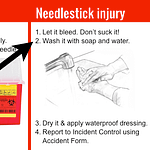
Often we’re told, “Put this information into a course.” But what happens if we put the information into a job aid instead, and then give learners mini-scenarios that help themuse the job aid?Read more
It’s easy to write activities that test whether learners know something. How can we make learners use their knowledge as well? Let’s compare two types of activities. Read more
You’re a US Army sergeant in Afghanistan. Can you help a young lieutenant make a good impression on a Pashtun leader? Try the branching scenario and learn how it was designed. Read more